SALES TEMPLATE
Sales
Bring sales orders together to review sales across customers and dates.
Example informationSales Number · Customer · Date · Total
DOCUMENT EXTRACTION FOR WINDOWS
Turn years of scattered business documents into an organized Excel database. Find historical customer orders, quotes, invoices, and receipts without manually opening hundreds of files, and analyze your business history in Excel.
Coming soon · Download and checkout links pending.

Conceptual workflow · Not an application screenshot
PDF · Excel · Word · Images & scans
TAKE AWAY ORGANIZED DATABUILT FOR YOUR BUSINESS DOCUMENTS
For business owners and teams working with document archives. Extract information from PDF, Excel, Word, and image files, including scans, using templates that focus on what matters.
SALES TEMPLATE
Bring sales orders together to review sales across customers and dates.
Example informationSales Number · Customer · Date · Total
QUOTE / ESTIMATE TEMPLATE
Find past quotes and compare the amounts you have offered.
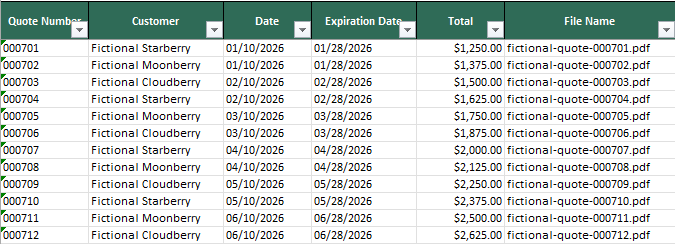
Example informationQuote Number · Customer · Date · Total
WORK ORDER TEMPLATE
Organize job and service information from customer and project folders.
Example informationWork Order Number · Customer · Technician · Status
RECEIPT TEMPLATE
Turn saved receipts and scans into searchable transaction records.
Example informationMerchant · Date · Tax · Total
INVOICE TEMPLATE
Bring invoice details together for easier review in Excel.
Example informationInvoice Number · Vendor · Due Date · Total
PURCHASE ORDER TEMPLATE
Organize purchasing records by supplier, order, and date.
Example informationPO Number · Vendor · Date · PO Total
CONTACT / CUSTOMER TEMPLATE
Collect contact information from your business documents.
Example informationCompany · Contact Name · Email · Phone
PACKING SLIP TEMPLATE
Bring shipment references and item details into one place.
Example informationPacking Slip Number · Ship Date · Tracking Number · Quantity
BILL OF LADING TEMPLATE
Organize freight records and the parties involved in a shipment.
Example informationBOL Number · Shipper · Consignee · Carrier
MAINTENANCE TEMPLATE
Review equipment service history without opening each record.
Example informationEquipment · Date · Technician · Next Service Date
INSPECTION TEMPLATE
Collect inspection details and findings for easier review.
Example informationReport Number · Inspection Date · Result · Finding
EXPENSE TEMPLATE
Organize submitted expenses by employee and category.
Example informationEmployee · Date · Category · Amount
CONTRACT TEMPLATE
Find agreement references, key dates, and stated values.
Example informationContract Number · Effective Date · Expiration Date · Contract Value
GENERAL DOCUMENT TEMPLATE
Start with common fields when a document does not fit another template.
Example informationDocument Number · Name · Date · Description
These are Harvster’s 14 built-in document templates. Example fields are a selection of each template’s available fields; review extracted results for accuracy.
ADVANCED EXTRACTION
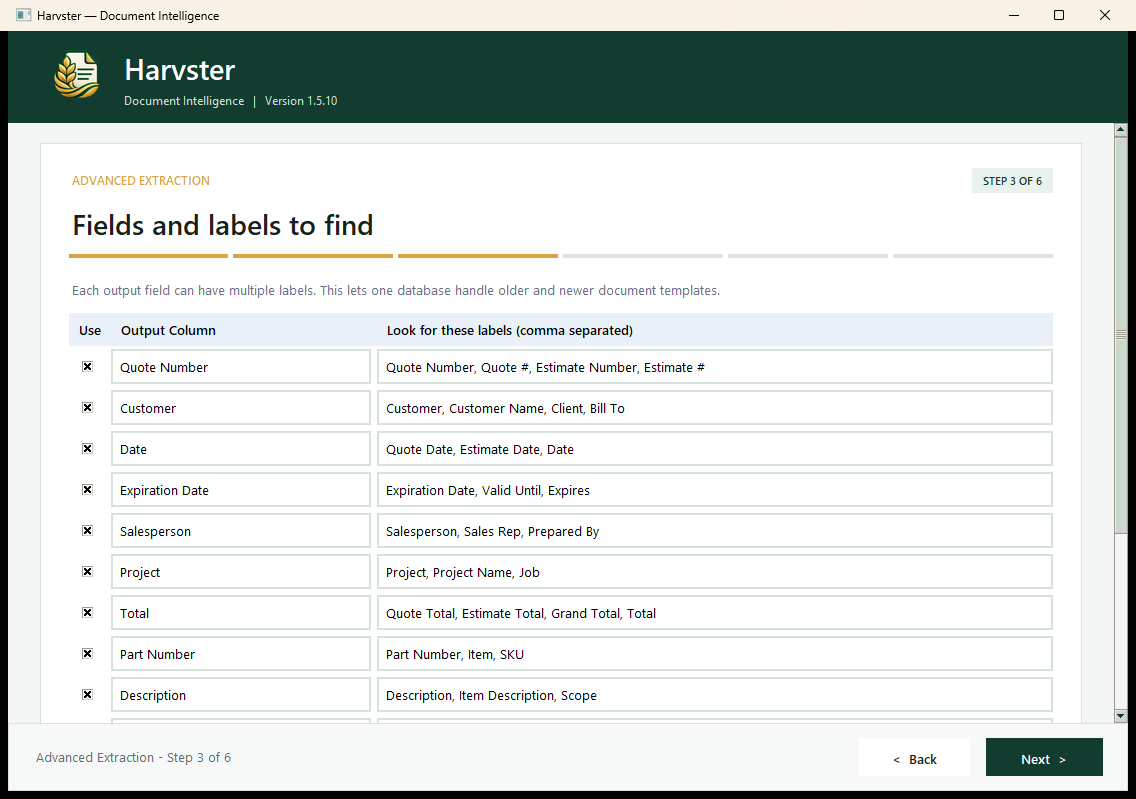
Not every business uses the same forms. Harvster’s advanced extraction options let you choose the information you want to collect, customize your database columns, and organize the results in Excel.
Start with a built-in template or configure custom fields for other document types. Whether you work with inspection reports, equipment records, shipping documents, or your company’s own forms, you can build a database around the information you need.
Extraction accuracy depends on document format, quality, and content. Review the results before relying on them.
FROM YEARS OF FOLDERS TO ONE DATABASE
Old customer folders. Completed projects. Years of files that have become hard to manage. Harvster brings the information in those documents into one searchable Excel database, so you can spend less time opening files and more time finding answers.
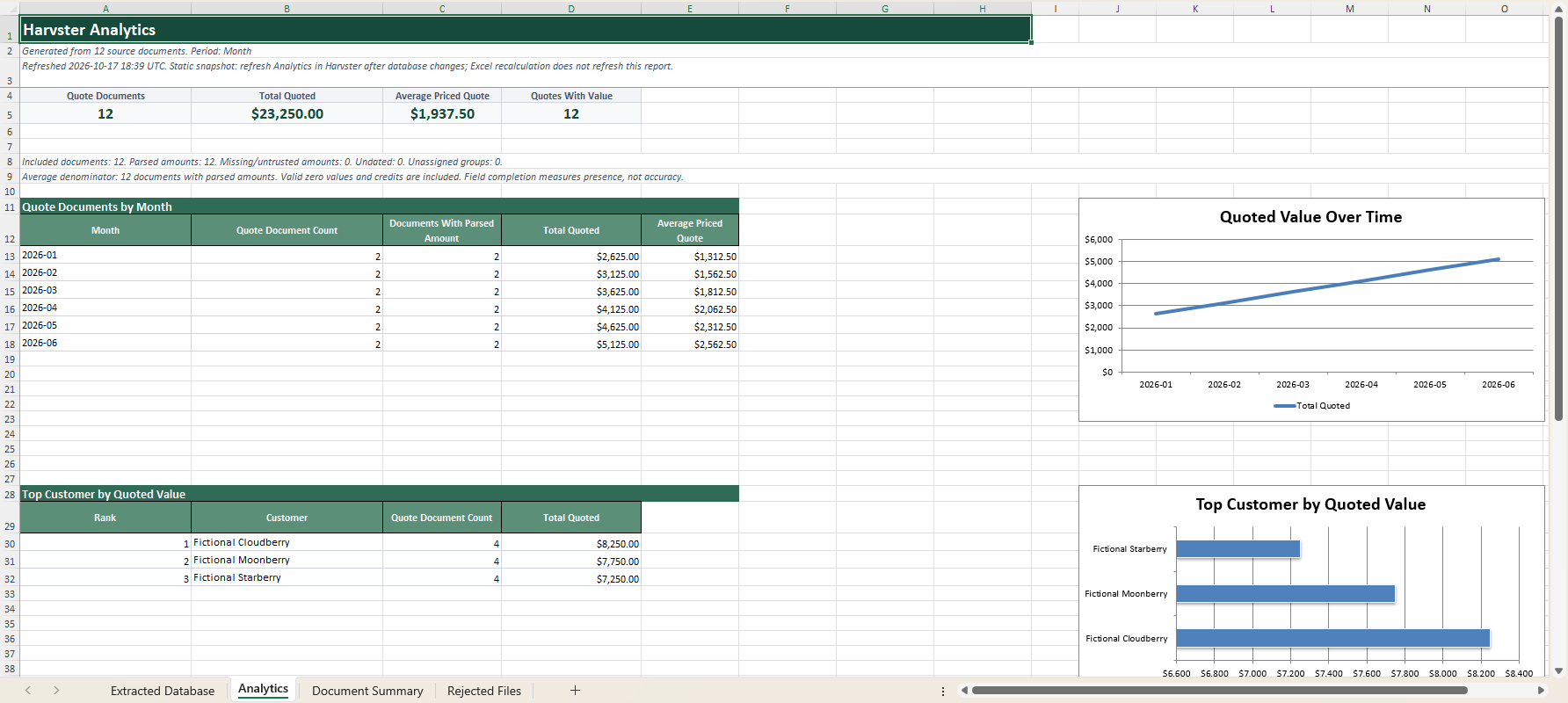
Use summaries and analytics to understand the information you have collected. When new documents arrive, update the database and keep building on your history.
Processing time depends on the number and complexity of documents, OCR needs, and your computer.
LESS MANUAL WORK. MORE CLARITY.
Bring information together in a format you can search, understand, and keep up to date.
Extract information from PDF, Excel, Word, and image files, including folders of documents.
Use OCR support to extract information from scanned documents.
Organize extracted data into searchable Excel databases for easier review.
Automatically generate summaries and analytics to help you understand your documents.
Update an existing Harvster database as new documents become available.
Harvster processes documents locally on your Windows computer. Work offline after initial activation.
A CLEAR PATH FROM FILES TO ANSWERS
Choose individual documents or folders to process.
Choose the information you want Harvster to extract.
Generate an organized Excel database from your documents.
Analyze results or update your database later.
A CLOSER LOOK
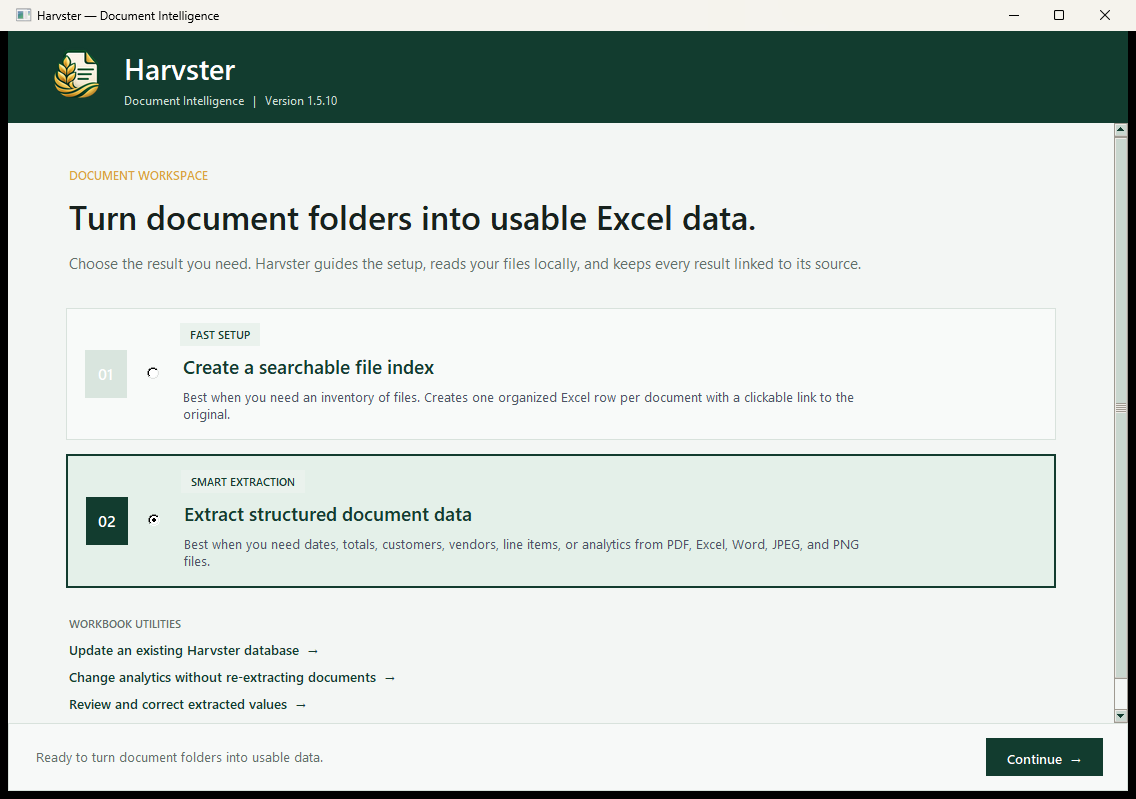
See Harvster’s interface, an Excel database, and generated analytics using fictional example data. Select a screenshot to view it full size; use Back to return.
SIMPLE PRICING
Try Harvster free before you buy. One-time purchase. No subscription.
Try Harvster free with document-processing limits. Purchasing the $99 full license removes trial document-processing limits.
Trial download coming soon.
HARVSTER FULL LICENSE
Checkout link pending · Purchases are not yet available.
ABOUT HARVSTER
Harvster turns document collections into organized information you can use.
Built for Windows, Harvster brings document extraction, OCR, and Excel database organization together. Search past records, analyze historical data in Excel, and update existing Harvster databases as new documents become available.
Get in touch